Welcome to my blog! Looking for my Take 12, December Daily, Week in the Life or One Little Word posts? Don't forget to check out my Digital scrapbooking tutorials and free workshops at Digital Scrapbooking HQ
Showing posts with label Photograph album. Show all posts

Friday, May 18, 2012

Free Shutterfly Book and Snapfish Coupon Inside

I just had to share some deals with you today!

Over on Digital Scrapbooking HQ I’ve got a Free Photobook Coupon code! It’s for an 8x8 Shutterfly photobook until the 29th of May – thanks to Ronnie for the heads up!

Also, there’s 100 free prints using the code at Snapfish USA:

Snapfish is offering 100 4x6 prints for $10 shipped with code MOMPRINTS through the 22nd of May.

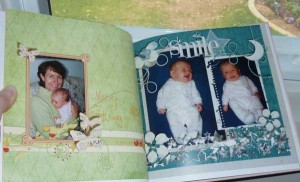
Here's what I have ordered with my free book

Click here to view this photo book larger

Would you like to learn how to create a gorgeous book like this yourself? This class is just the ticket!
Thursday, November 3, 2011

December Daily 2011

My 2011 December Daily Foundation pages

I was so thrilled to complete my 2010 December Daily that I turned the design into foundation pages (digital templates) for 2011. I've not yet chosen the kit I'll use along with the pages, but I have a couple of weeks to get that sorted out! I'm also thinking I won't pre-number the pages, but rather select the page with the best number of photos for each day.
 

2010 December Daily

In February 2011, I ordered my finished 2010 December Daily book. I used a limited range of supplies and a template/base page design, and if I came up with a page I loved, I just rotated or altered it and reused it. I didn’t do a page for every day and I did more than one page for some days. I’m was thrilled with the result!

What I learnt in 2009 and 2010

In 2009 year I faithfully recorded all the details of our December on the sheets that Jessica Sprague provided in her Holidays in Hand class. This is as far as I got with the scrapping though!
I did have grand plans to put together my 2009 book at the same time as my 2010 book, as I’ve got the photos and journalling done. But that didn’t happen. Not to worry! I’ve got the paper version from my Holidays in Hand class so it can wait. Or just be in paper form for good.

Foundation pages for you

I was so inspired by the whole process that I put together a template album pack so that I can share the page designs with you! I've even coloured the layers in the templates for inspiration!

Want to get a head start on your December Daily?

  • Do you feel overwhelmed at the thought of creating a whole album?
  • Do you want to create photo-centric layouts without the fuss of lots of layering?
  • Are you new to digital scrapbooking and ready to start creating pages?
I've created just what you need!
Check out my 31 templates.
Enhanced by Zemanta

Friday, June 17, 2011

Make your own photobook

SANY0249If you are interested in getting your layouts and photos onto paper or shared online – join me  for a free webinar.

I’ll be sharing some tips about:

  • Proofing your layouts
  • Saving your files for printing
  • Creating a photobook
  • Saving your files for sharing on Facebook, Flickr and galleries
  • Saving your files for a digital photoframe

More from Learn to Scrapbook in Photoshop Elements:

So what do you do once you’ve created a page? You can share it online, add it to a digital photo frame or print it share it with others in person.

Confused about the best way to save your files to upload them and share them? Come and join my free online workshop!
register now

Over the past three years I’ve been putting my scrapbooking in print thanks to Snapfish Australia, Shutterfly and MyPicTales. I’ve printed five Photobooks and about 60 12×12 layouts.

Come and join me as I walk you through:

  • Proofing your layouts
  • Saving your files for printing
  • Saving your files for sharing on Facebook, Flickr and galleries
  • Saving your files for a digital photoframe
  • Creating a photobook

Have you ever printed your scrapbooking layouts? Join us to share experiences and learn some tips to help you get it done!

As always there will be a chance for you to ask your Photoshop Elements questions!

Details

June 20, 2011 9:30 AM – 10:30 AM (June 19, 2011 9:30PM EST) Show in My Timezone

Register now to secure your seat in this Photobook workshop!

I hope to see you there!

Melissa

Tuesday, February 15, 2011

December Daily complete!

Image representing Shutterfly as depicted in C...
Image via CrunchBase
After a few hectic days and nights with Phill returning from Argentina and Emily being sick I can finally let you all know I’ve completed and ordered my 2010 December Daily book.
I completed 17 pages to complete my book in less than a week, using my notes in my Memory Logbook and blog to fill in the details. I even did 6 pages one day! Lain Ehmann would be proud! Go ME!
I used a limited range of supplies and a template/base page design, and if I came up with a page I loved, I just rotated or altered it and reused it. I didn’t do a page for everyday and I did more than 1 page for some days. I’m thrilled with the result and can’t wait for Shutterfly to post it out to me!

If you like how I put together my book – I was inspired by Katie’s post at the Daily DigiHow to Narrow it Down with Thin Slicing and Noell’s article – How to Get More Impact with Less Effort.
For the actual conversion of 12x12 layouts to 8x8 Shutterfly book and to create the cover I used Wendyzine’s Shutterfly Toolkit: 8x8 version 2.0. To split my two page spreads I used her Action: Crop it.
Shutterfly Toolkit: 8x8 v2.0
ACTION: Crop It
I did have grand plans to put together my 2009 book at the same time, as I’ve got the photos and journalling done. But that didn’t happen. Not to worry! I’ve got the paper version from my Holidays in Hand class so it can wait. Or just be in paper form for good.
I’d love you to link me up to your December Daily or other project that you are proud to have completed!
Keep visiting my blog because I’ll be sharing a little more about my book and how I can help you create your own soon.
Melissa
Get Your Digi Game On
*affliliate links where possible- please use them to support my blog*
Enhanced by Zemanta

LinkWithin

Related Posts Plugin for WordPress, Blogger...